 Listicle
Accounting Software with Integrated Payroll Features
Table of Contents
- Why Integrated Payroll Features Change the Math for Small Businesses
- How to Choose Payroll Software for Small Business: A Practical Framework
- Top Accounting Software with Integrated Payroll Features Compared
- Small Business Payroll Tax Compliance: What the Software Must Handle
- Key Features Every Integrated Payroll and Accounting Platform Should Have
- Which Platform Should You Pick?
- Frequently Asked Questions
Last Updated: September 2, 2026
Most small business owners run separate accounting and payroll systems until reconciliation becomes a monthly headache. Accounting software with integrated payroll features solves this by keeping your general ledger, payroll tax calculations, and financial reporting in a single platform. At Hate Ledger, we've built our product around this idea: one source of truth, no jargon, no scramble at year-end. Below, we compare the top platforms with genuine integrated payroll features, break down what to look for before you buy, and give you a framework for calculating real cost of ownership.
Quick Picks:
- Best for simplicity + tax automation: Hate Ledger, automated tax reserves on every deposit, free-forever tier, setup in 10 minutes
- Best for HR-heavy teams: Gusto, full-service payroll with benefits administration and employee self-service
- Best transparent pricing: OnPay, flat-rate monthly fee, unlimited pay runs, automated federal and state filings
- Best for scalability: ADP RUN, customizable packages for growing teams up to 49 employees
- Best for desktop-first businesses: Sage 50cloud, deep financial reporting with cloud-connected payroll
Why Integrated Payroll Features Change the Math for Small Businesses
Separate payroll and accounting tools create a data synchronization problem that compounds over time. Every pay run generates entries that need to land in the right general ledger accounts: wages, employer tax liabilities, deductions, garnishments, and benefits. When those systems don't talk to each other, someone has to manually reconcile them, usually you. Accounting software with integrated payroll features eliminates this by writing payroll journal entries automatically to the correct accounts the moment a pay run is processed.
Data Synchronization: One Source of Truth
Data synchronization is the automatic transfer of payroll data into your accounting records without manual entry. When payroll and bookkeeping share a single database, every direct deposit, tax withholding, and employee deduction posts directly to the general ledger in real time. Your cash balance, tax liability, and labor costs are accurate the moment payroll runs, not three days later when someone gets around to manual entry.
Financial Reporting and Year-End Without the Scramble
Year-end reporting is where poor integration becomes undeniable. Generating accurate W-2 and 1099 forms, reconciling payroll tax liabilities, and producing audit-ready financials all depend on clean, synchronized data throughout the year. Platforms with genuine integrated payroll features maintain a continuous audit trail of every pay run, tax deposit, and deduction, so year-end reporting becomes a review process rather than a reconstruction project. According to IRS guidance on employer tax responsibilities, employers must file payroll tax forms on specific schedules with penalties for late or inaccurate filings. An integrated system that automates these deadlines removes significant compliance risk.
How to Choose Payroll Software for Small Business: A Practical Framework
Choosing payroll software hinges on three factors most comparison guides skip: total cost of ownership, migration friction, and whether the platform handles your specific compliance situation.
Total Cost of Ownership: Beyond the Monthly Fee
The monthly subscription price is the smallest part of what you'll actually pay. A realistic total cost of ownership calculation includes:
| Cost Category | What to Ask |
|---|---|
| Base subscription | What's included vs. add-on? |
| Per-employee fees | How does cost scale as you hire? |
| Off-cycle payroll runs | Are extra runs charged separately? |
| Year-end form delivery | Are W-2 mailings included? |
| Implementation and migration | Is data import free or billed hourly? |
| Support tier | Is phone support included or premium? |
| Add-on modules | Are HR tools, time tracking, or benefits extra? |
Many platforms advertise a low base price but charge per-employee fees that make the real monthly cost two to three times the headline number by your fifth hire.
Migration and Implementation Friction
Moving your chart of accounts, historical payroll data, employee records, and tax history from one system to another takes time, and errors during migration can create reconciliation problems that persist for months. Before committing to any platform, ask: Does the platform provide guided onboarding? Can you import historical payroll data? How long does migration take for a business your size? Platforms that handle migration well offer structured data import tools, dedicated onboarding support, and clear documentation.
Top Accounting Software with Integrated Payroll Features Compared
The five platforms below represent realistic options for small businesses wanting payroll and accounting in one place.

1. Hate Ledger: Automated Tax Reserves Built Into Every Deposit
Hate Ledger treats tax compliance as a default behavior rather than a feature you configure. Every deposit automatically triggers a tax reserve calculation, so money owed to the IRS is set aside before you see it as available cash. This eliminates the most common small business tax crisis: spending money that was always owed. Setup takes approximately 10 minutes, and the free-forever tier requires no credit card. For small business owners with employees, Hate Ledger's integrated payroll features connect directly to that daily number, so every pay run updates your safe-to-spend balance in real time.
Best for: Self-employed professionals and small business owners with growing teams who want payroll and accounting consolidated without the learning curve.
Standout feature: Automated tax reserves on every deposit.
Free tier: Yes, no credit card required.
Pros:
- One clear daily number for spending, earnings, and tax obligations
- Automated tax reserve on every deposit
- Real double-entry data suitable for accountant audits
- Free-forever tier available
- 10-minute setup
2. Gusto: Full-Service Payroll with HR Tools
Gusto is the benchmark for small business payroll. Its core strength is breadth: unlimited payroll runs, automated tax filings at federal, state, and local levels, direct deposit, employee self-service portal, benefits administration including health insurance and 401(k)s, and hiring and onboarding tools. The integration with accounting tools is solid but worth scrutinizing. Gusto connects to several accounting platforms via API integration but is not a native accounting platform itself. If you need a true single-system solution where payroll and your general ledger live in the same database, Gusto requires a connected accounting tool.
Best for: Small to medium-sized businesses prioritizing HR depth alongside payroll, particularly those managing employee benefits.
Pricing: Starts at $49/month plus $6 per employee.
Pros:
- Comprehensive HR features integrated with payroll
- Automated tax filings and unlimited payroll runs
- Strong employee self-service portal
Cons:
- Per-employee fees scale quickly for growing teams
- Limited reporting compared to dedicated accounting platforms
- Requires a connected bookkeeping tool
3. OnPay: Transparent Pricing with Unlimited Pay Runs
OnPay's biggest differentiator is pricing clarity. The flat-rate model covers full-service payroll, automated federal, state, and local tax filings, employee onboarding, benefits administration, W-2 and 1099 generation, and accounting platform integrations. The unlimited pay runs policy is genuinely useful for businesses with irregular payroll schedules or contractors needing off-cycle payments.
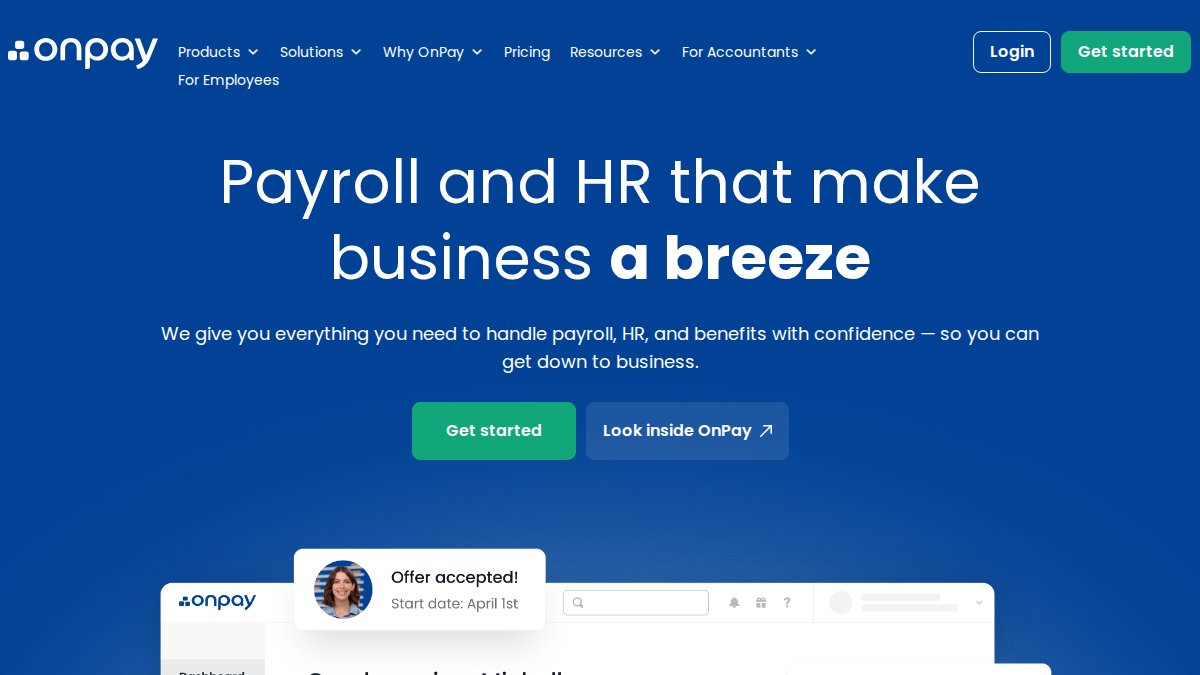
Best for: Small businesses wanting transparent pricing and comprehensive payroll tax handling without surprises.
Pricing: Starts at $49/month plus $6 per employee.
Pros:
- Simple, transparent pricing with all core services included
- Handles all payroll tax responsibilities including multi-state filings
- Includes HR tools and accounting software integrations
Cons:
- Year-end tax forms mailed directly to employees incur an additional fee
- No native time clock, requires third-party integration
4. ADP RUN: Scalable Payroll for Growing Teams
ADP RUN is designed for small businesses expecting to grow. The platform handles automated payroll processing, tax calculations, direct deposit, employee self-service, and state unemployment insurance management. It also integrates with tools like ZipRecruiter for hiring workflows. ADP RUN does not publish rates publicly; you get a custom quote based on team size and features needed.
Best for: Small to mid-sized teams prioritizing payroll accuracy and compliance, with room to add HR features as the business grows.
Pricing: Custom quote required; pricing depends on quantity, dates, and delivery.
Pros:
- Scalable packages with customizable add-ons
- 24/7 customer support from certified payroll specialists
- Strong compliance management features
Cons:
- Pricing not publicly listed, making budgeting harder
- Off-cycle payroll runs and add-ons increase total cost significantly
5. Sage 50cloud: Desktop Depth with Cloud-Connected Payroll
Sage 50cloud is primarily a desktop accounting application with cloud connectivity, offering deeper financial reporting, inventory management, and job costing than pure cloud platforms. The payroll module is a separate subscription add-on. When both are active, the integration is tight: payroll entries post directly to the general ledger, tax calculations are automated, and direct deposit and check printing are both supported.
Best for: Established small to mid-sized businesses needing deep financial reporting and job costing alongside payroll, preferring a locally installed system.
Pricing: Accounting plans start at $128.67/month; payroll is an additional subscription.
Pros:
- Deep financial reporting and job costing capabilities
- Strong integration between accounting and payroll modules
- Desktop reliability with cloud connectivity for remote access
Cons:
- Requires software installation, higher setup complexity and total cost
- Payroll is a separate subscription, not included in base accounting plan
Platform Comparison at a Glance:
| Platform | Free Tier | Starting Price | Best For | Standout Feature |
|---|---|---|---|---|
| Hate Ledger | Yes | Free forever | Self-employed, small teams | Automated tax reserves on every deposit |
| Gusto | No | $49/mo + $6/employee | HR-focused teams | Benefits administration + unlimited payroll runs |
| OnPay | No | $49/mo + $6/employee | Transparent pricing seekers | All-inclusive flat-rate model |
| ADP RUN | No | Custom quote | Scaling teams | Customizable compliance add-ons |
| Sage 50cloud | No | $128.67/mo + payroll add-on | Desktop-first businesses | Deep financial reporting + job costing |
Small Business Payroll Tax Compliance: What the Software Must Handle
Payroll tax compliance is not optional, and penalties for errors are real. The software you choose must handle the full stack of federal and state obligations automatically, not just calculate taxes but file and deposit them on your behalf.

Federal Obligations and Automated Tax Filing
Federal payroll tax obligations include withholding and depositing federal income tax, Social Security, and Medicare taxes, filing Form 941 quarterly, and submitting annual W-2 forms for employees and 1099 forms for contractors. According to IRS Publication 15 on employer tax guide, deposit schedules depend on total tax liability and are either monthly or semi-weekly. Automated tax filing means the software calculates correct withholding amounts, generates the deposit on the right schedule, and files forms electronically without manual initiation.
Multi-State Payroll and Industry-Specific Compliance Needs
Multi-state payroll is where most platforms show their limits. If you have employees in more than one state, you need a platform handling each state's income tax withholding rules, state unemployment insurance rates, and local tax requirements independently. The Department of Labor's wage and hour compliance resources outlines federal baseline for overtime, minimum wage, and recordkeeping, but state laws frequently set higher standards.
Key Features Every Integrated Payroll and Accounting Platform Should Have
Use this as your evaluation checklist before committing:
- Automated tax filing: Federal, state, and local payroll taxes calculated, deposited, and filed automatically on the correct schedule
- Direct deposit: Employee payments processed without manual bank transfers
- W-2 and 1099 generation: Year-end tax forms generated and filed electronically as part of the base plan
- General ledger integration: Every payroll entry posts to the correct accounts automatically, no manual journal entries
- Employee self-service portal: Employees can access pay stubs, tax forms, and update information without contacting you
- Multi-state payroll support: Platform handles different withholding rules and SUI rates by state
- Audit trail: Every transaction, change, and filing is logged with timestamps and user permissions
- Data security: Encryption at rest and in transit, role-based access controls, and compliance with data protection standards
- Scalability: Pricing and features that work at your current size and at 2x your current headcount
- Workflow automation: Pay runs, reminders, and compliance deadlines triggered automatically
- Onboarding tools: New employee setup, including I-9, W-4, and direct deposit enrollment, handled inside the platform
- Garnishment handling: Wage garnishments calculated and remitted correctly alongside regular deductions
The difference between a platform that checks these boxes on paper and one that executes them cleanly in practice is usually visible only after two or three payroll cycles.
Which Platform Should You Pick?
The right choice depends on what you actually need, not what sounds most comprehensive in a feature list.
Choose Hate Ledger if you want payroll and accounting in one place without the learning curve. The automated tax reserve on every deposit matters most if you've ever been surprised by a tax bill, and the free-forever tier lets you validate the platform before spending anything.
Choose Gusto if HR is as important as payroll. Benefits administration, hiring workflows, and employee onboarding are genuinely strong, and the employee self-service portal is one of the best in this category.
Choose OnPay if pricing predictability is your priority. The flat-rate model with unlimited pay runs is the most transparent structure in this comparison, and automated tax filing covers federal, state, and local obligations without add-on fees.
Choose ADP RUN if you're scaling past 10 employees and need customizable compliance add-ons. The 24/7 certified payroll support is worth the premium for teams where payroll errors have real operational consequences.
Choose Sage 50cloud if you run an established business needing deep job costing, inventory management, and financial reporting alongside payroll, and you're comfortable with a desktop-first system.
Every platform on this list does better than a spreadsheet: automated payroll tax calculation and filing. If you're still managing payroll manually, the compliance risk alone justifies switching. As noted by SCORE's [small business(https://www.hateledger.com/blog/employee-cost-analysis-for-small-business-the-no-nonsense-2026-checklist) financial management resources | score.org], integrating payroll with accounting is one of the highest-impact operational improvements available to small business owners, reducing errors, saving time, and improving financial visibility simultaneously.
=== FAQ ANSWERS (audit these too, same rules) ===
[1] Q: What is the best accounting software that includes payroll? A: The best fit depends on your business size and complexity. Hate Ledger suits self-employed professionals and small teams who want automated tax reserves and a simplified daily financial view with no accounting jargon. Gusto and OnPay work well for small businesses needing full-service payroll with benefits administration. Sage 50cloud fits established businesses that need deep financial reporting alongside payroll. Evaluate total cost of ownership, compliance coverage, and how easily each platform syncs payroll data to your general ledger before deciding.
[2] Q: Why should you use integrated accounting and payroll software? A: Separate payroll and accounting tools create a data synchronization problem. Every pay run requires manual journal entries, which introduces errors and slows financial reconciliation. Integrated accounting software with payroll features posts payroll expenses directly to the general ledger in real time, keeps your audit trail clean, and makes year-end W-2 and 1099 generation far less painful. For small business payroll tax compliance, integration also means your tax liability is calculated from the same data your books use, reducing the risk of mismatches.
[3] Q: How do I handle multi-state payroll compliance with accounting software? A: Multi-state payroll requires a platform that tracks each state's withholding rates, unemployment insurance rules, and local tax obligations separately. Look for automated tax filing that covers federal, state, and local levels, plus built-in compliance updates when rules change. If you operate across several states, confirm the software supports all relevant jurisdictions before committing. Platforms with dedicated compliance management and an audit trail make it easier to respond to state agency inquiries without rebuilding records from scratch.
[4] Q: What hidden costs should I watch for when choosing payroll software? A: The monthly base fee rarely tells the full story. Watch for per-employee charges that scale quickly as you hire, fees for off-cycle payroll runs, year-end form delivery charges, and costs for add-ons like time tracking or garnishment processing. Implementation and data migration can also carry one-time costs. Build a total cost of ownership estimate that covers your current headcount plus realistic growth over 12 to 24 months, then compare that figure across platforms rather than comparing base prices alone.
[5] Q: Can accounting software with integrated payroll handle employee self-service? A: Most full-service platforms include an employee self-service portal where staff can access pay stubs, update direct deposit details, and download W-2s without contacting HR. This reduces administrative back-and-forth and keeps sensitive payroll data secure through role-based user permissions. When evaluating options, confirm the portal covers onboarding documents and benefits enrollment if those workflows matter to your team, since not every platform bundles HR tools at the base price.
Frequently Asked Questions
Q: What is the best accounting software that includes payroll?
A: The best fit depends on your business size and complexity. Hate Ledger suits self-employed professionals and small teams who want automated tax reserves and a simplified daily financial view with no accounting jargon. Gusto and OnPay work well for small businesses needing full-service payroll with benefits administration. Sage 50cloud fits established businesses that need deep financial reporting alongside payroll. Evaluate total cost of ownership, compliance coverage, and how easily each platform syncs payroll data to your general ledger before deciding.
Q: Why should you use integrated accounting and payroll software?
A: Separate payroll and accounting tools create a data synchronization problem. Every pay run requires manual journal entries, which introduces errors and slows financial reconciliation. Integrated accounting software with payroll features posts payroll expenses directly to the general ledger in real time, keeps your audit trail clean, and makes year-end W-2 and 1099 generation far less painful. For small business payroll tax compliance, integration also means your tax liability is calculated from the same data your books use, reducing the risk of mismatches.
Q: How do I handle multi-state payroll compliance with accounting software?
A: Multi-state payroll requires a platform that tracks each state's withholding rates, unemployment insurance rules, and local tax obligations separately. Look for automated tax filing that covers federal, state, and local levels, plus built-in compliance updates when rules change. If you operate across several states, confirm the software supports all relevant jurisdictions before committing. Platforms with dedicated compliance management and an audit trail make it easier to respond to state agency inquiries without rebuilding records from scratch.
Q: What hidden costs should I watch for when choosing payroll software?
A: The monthly base fee rarely tells the full story. Watch for per-employee charges that scale quickly as you hire, fees for off-cycle payroll runs, year-end form delivery charges, and costs for add-ons like time tracking or garnishment processing. Implementation and data migration can also carry one-time costs. Build a total cost of ownership estimate that covers your current headcount plus realistic growth over 12 to 24 months, then compare that figure across platforms rather than comparing base prices alone.
Q: Can accounting software with integrated payroll handle employee self-service?
A: Most full-service platforms include an employee self-service portal where staff can access pay stubs, update direct deposit details, and download W-2s without contacting HR. This reduces administrative back-and-forth and keeps sensitive payroll data secure through role-based user permissions. When evaluating options, confirm the portal covers onboarding documents and benefits enrollment if those workflows matter to your team, since not every platform bundles HR tools at the base price.
Running payroll manually or reconciling two disconnected systems every month is a problem with a straightforward solution. Hate Ledger automates tax reserves on every deposit, generates audit-ready double-entry financials, and gives you one clear daily number for what you can safely spend, all from a free-forever account you can set up in 10 minutes. Start free at Hate Ledger and stop dreading your next pay run.